Required tools
Before starting the update procedure, make sure you have the correct programmer and software prepared on your workstation.
ICSP Programmer
PICKIT 3: This is the programmer used to program Seedmate. It is affordable and widely available online (e.g., AliExpress).
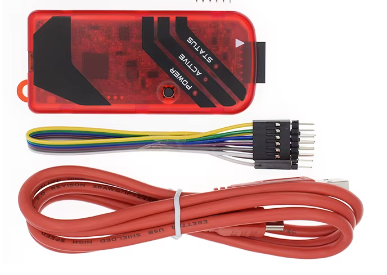
An alternative valid tool is the MPLAB SNAP, though this document assumes the use of PICKIT 3.
Programming Software
MPLAB X IPE: This software is provided by Microchip, the microcontroller manufacturer.
The latest version of MPLAB X IPE does not support PICKIT 3. You must download an older, compatible version such as v4.20 from the Microchip Archives.
Navigate to v4.20, select your operating system, and download. During installation, make sure to install only the programming tool:
- Uncheck MPLAB X IDE (unless you intend to modify and compile firmware yourself, in that case install the latest IDE release available).
- Check MPLAB IPE (Integrated Programming Environment).
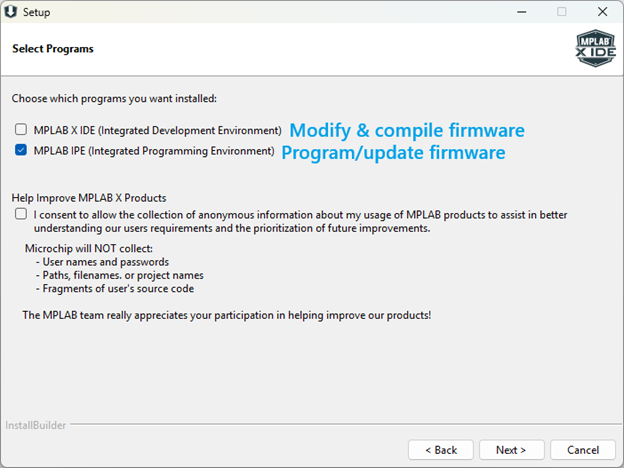
Programming guide
-
Download firmware & open device
Download the desired
.hexfile from the official GitHub release page. If you intend to compile code yourself, download the source zip as well.To access the programming header, open the top case. Remove the 6 screws from the bottom using the Allen key provided in your package box, then lift off the top case. You can take this opportunity to replace the AAA batteries if you have used the device for more than 10 hours (estimated battery life is 15 hours).
-
Prepare the programming cable
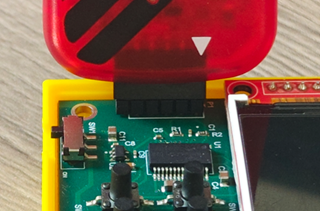
The board features a 5-hole connector on the left side labeled P1 (programming port), while standard programmer cables have 6 pins. First, remove or cut one pin from the pin row. Then insert it into the programmer connector, starting from pin 1 which is indicated by a small white triangle.
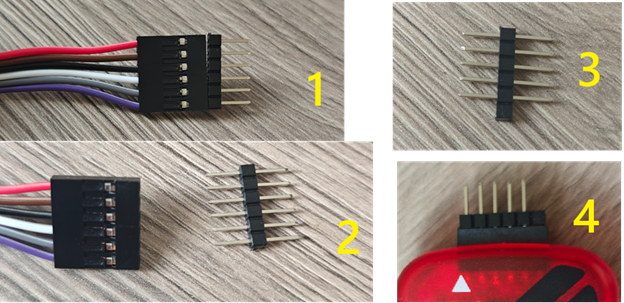
-
Connect the programmer to the board
With the device powered OFF, connect the programmer to the board connector P1. Ensure that pin 1 of the board (MCLR) matches pin 1 of the programmer (indicated by the white triangle).
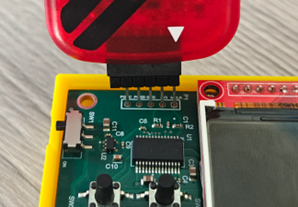
-
Configure MPLAB X IPE v4.20
Power ON the Seedmate device. Open the MPLAB X IPE v4.20 software and configure the environment:
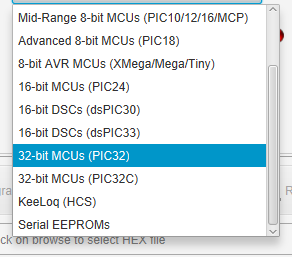
- Family: Select
32-bit MCUs (PIC32) - Device: Select
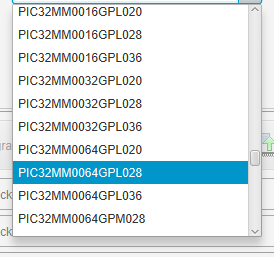
PIC32MM0064GPL028 - Tool: Select your connected PICKIT 3 and click Connect.
You should see confirmation in the output console at the bottom of the application:
Connecting to MPLAB PICkit 3... Currently loaded firmware on PICkit 3 Firmware Suite Version.....01.51.07 * Firmware type..............PIC32MM Target voltage detected Target device PIC32MM0064GPL028 found. Device ID Revision = 70000000 - Family: Select
-
Select Hex file and Program
Click Browse to select the downloaded
.hexfile, then click Program.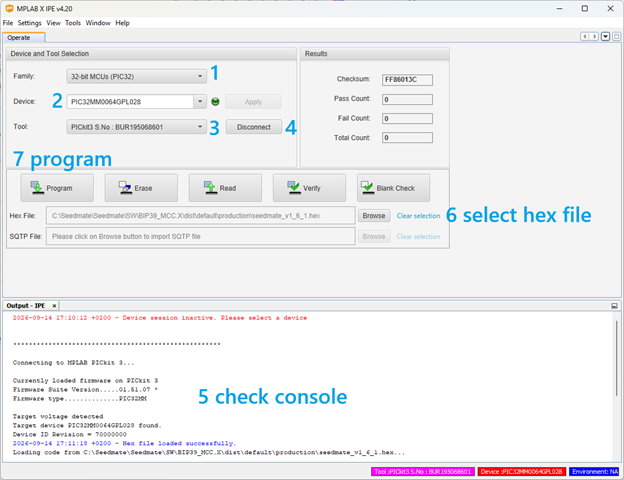
When successful, the console output will display:
2026-09-14 17:13:30 +0200 - Programming... Device Erased... Programming... The following memory area(s) will be programmed: program memory: start address = 0x1d000000, end address = 0x1d00f7ff boot config memory configuration memory Programming/Verify complete 2026-09-14 17:13:48 +0200 - Programming complete
Do not power off the device while programming!
Troubleshooting & Tips
- If the tool takes a while to connect the first time, close the app, disconnect the programmer, and retry.
- If programming fails, the connection between the programmer and board may be loose. Retry while holding the cable/programmer gently to the left.
- It is very hard to brick the processor (it has never happened during testing), but avoid touching the screen pins directly with your hands to prevent electrostatic discharge (ESD) damage.